
Download Kotoba – Japanese-Spanish Translator for Language Learners
Overview
Kotoba is a specialized mobile application designed to support Spanish speakers in learning Japanese and vice versa, with a focus on conceptual understanding rather than literal translation. Unlike standard automatic translation tools, Kotoba emphasizes meaningful interpretations of Japanese characters, helping users grasp the underlying ideas and cultural context behind phrases. This approach is particularly beneficial for learners who want to move beyond word-for-word equivalents and understand how language reflects thought and expression in Japanese culture.
The app targets language learners, students, and enthusiasts of Japanese media—especially manga fans—who wish to engage with original content without relying solely on translated versions. By providing context-rich translations, Kotoba enhances comprehension and supports deeper learning, making it a valuable tool for those aiming to improve their linguistic and cultural literacy. The developer did not provide additional background information, but the app’s long-standing presence since its release on August 7, 2007, suggests a dedicated user base and ongoing development.
Real-world use cases include studying Japanese phrases in manga, practicing writing names or sentences in Japanese, and reinforcing vocabulary through interactive bilingual support. In the broader app ecosystem, Kotoba fills a niche by offering a thoughtful, learner-centered alternative to generic translation services, promoting active engagement with the language rather than passive consumption.
Key Features & Functionality
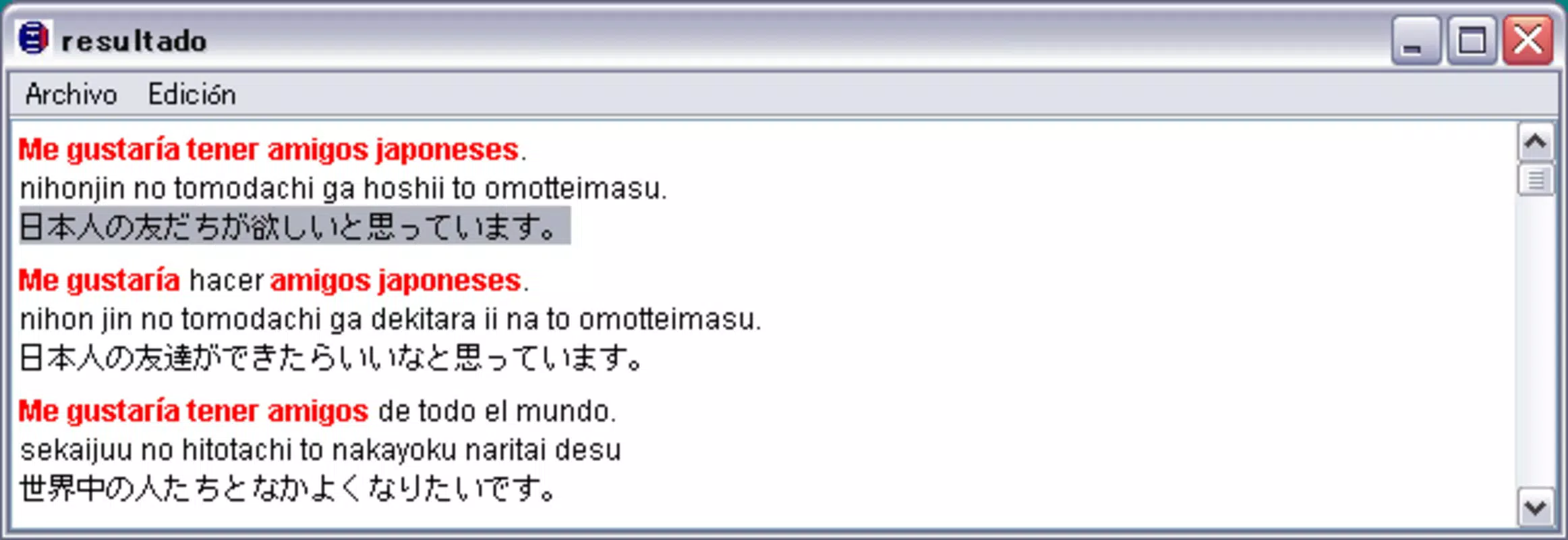
- Conceptual Translation Engine: Kotoba translates Japanese characters based on their conceptual meaning, not just lexical equivalents. This allows users to understand how ideas are expressed in Japanese, which is essential for grasping idioms, proverbs, and cultural references.
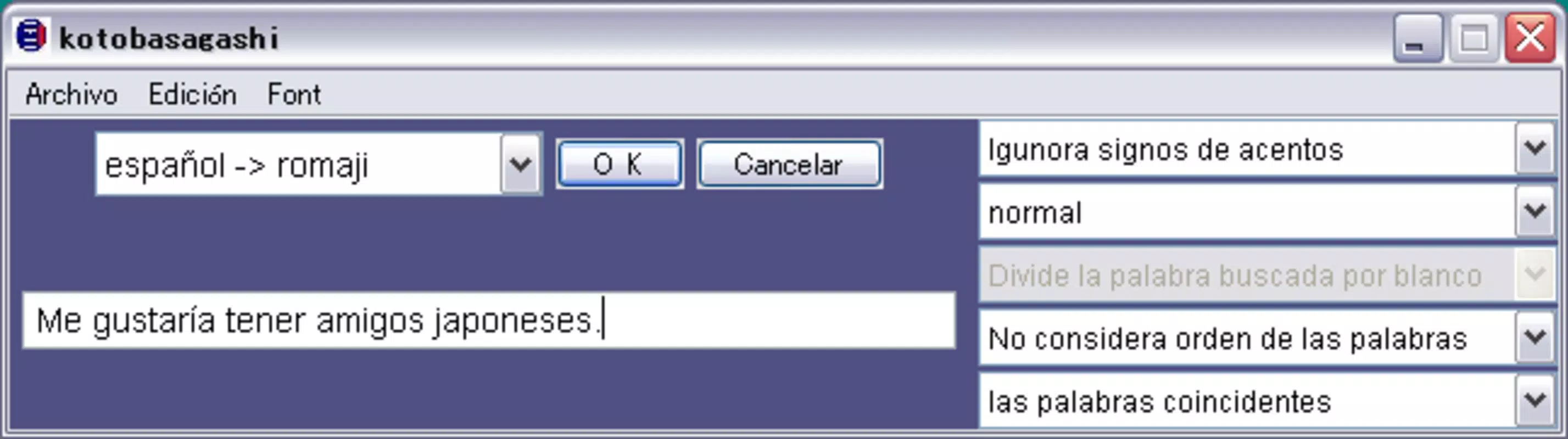
- User-Friendly Interface: The app features a clean, intuitive layout that minimizes cognitive load. Even beginners can navigate core functions quickly, focusing on learning instead of mastering complex settings.
- Manga-Focused Learning Support: Designed with fans of Japanese manga in mind, Kotoba helps users interpret original text with greater accuracy, enriching their reading experience while improving language skills.
- Interactive Language Practice: Users can input phrases or names in either language and receive conceptually accurate translations, encouraging active engagement and reinforcing memory through practice.
- Bilingual Switching Capability: Seamless switching between Spanish and Japanese enables learners to compare structures and meanings, fostering a deeper understanding of both languages.
For example, when a user encounters the Japanese phrase “心が通じる,” Kotoba doesn’t just translate it as “heart connects,” but explains it as “mutual understanding” or “emotional resonance,” capturing the emotional weight behind the expression. This contextual insight is invaluable for learners aiming to communicate naturally.
Interface, UX & Performance
The user interface of Kotoba reflects a minimalist design philosophy, prioritizing clarity and accessibility. Navigation is straightforward, with essential functions located within easy reach, minimizing the need for multiple taps or complex menus. The visual style is uncluttered, using neutral colors and legible typography to ensure readability across various screen sizes.
Users can expect a responsive experience, with quick load times and smooth transitions between screens. Although the developer did not list formal performance metrics, the app’s long-standing availability suggests stability and consistent functionality across different device categories. The interface maintains usability even on lower-end smartphones, indicating optimized performance.
Interaction flows are logical and predictable, allowing users to input text, receive translations, and explore related concepts without disruption. The app appears to handle input efficiently, supporting both direct typing and copy-paste functionality. While specific details on battery usage or background operation were not disclosed, the design implies low resource consumption, suitable for extended learning sessions.
Platform Compatibility & Technical Requirements
Kotoba is available on Android and iOS platforms, supporting modern versions of both operating systems. The app has a file size of 14.3 MB, making it lightweight and suitable for devices with limited storage. The current software version is 1.0.0, released on August 7, 2007, indicating a mature product with a long development history.
Although the developer did not specify minimum OS requirements, the app’s compatibility with both major mobile platforms suggests it is optimized for a wide range of devices. Users should ensure their device meets standard system requirements for running modern mobile applications. The developer did not provide additional technical details regarding hardware specifications or memory usage.
Pros and Cons
Pros
- Conceptual translation approach enhances deep understanding of Japanese language and culture.
- Intuitive interface suitable for beginners and experienced learners alike.
- Specifically designed for manga fans and language enthusiasts.
- Lightweight size (14.3 MB) ensures fast installation and minimal storage use.
- Bilingual support enables seamless switching between Spanish and Japanese.
Cons
- Version release date from 2007 suggests limited recent updates or modern feature integration.
- Developer did not provide information on OS version requirements or device compatibility.
- Performance metrics and technical specifications were not disclosed.
- App may lack advanced features like voice input, offline mode, or cloud sync.
- No public information on customer support or update frequency.
FAQ
Is Kotoba free to download and use?
The app’s pricing was not specified by the developer. Users should check the official app store listing for current pricing details.
Can I use Kotoba offline?
Specific functionality details were not provided. It is recommended to test the app’s behavior after disabling internet access to determine offline capabilities.
Is Kotoba safe to install on my smartphone?
As a long-standing app available on official app stores, Kotoba is considered secure for installation. Always download from trusted sources to ensure safety.
Does Kotoba support voice input or speech recognition?
The developer did not disclose information about voice features. The app’s core functionality appears centered on text-based input and conceptual translation.
How often is Kotoba updated?
Release information indicates the latest version was published in 2007. No recent update history was provided, so users should expect limited or no future updates.
Final Thoughts
Kotoba stands out in the language learning space by offering a unique conceptual translation model tailored for Spanish speakers exploring Japanese. Its focus on meaning over literal translation makes it a powerful tool for learners seeking authentic understanding. The app’s simplicity, lightweight design, and manga-friendly features make it ideal for casual learners and enthusiasts who value cultural depth.
While the lack of recent updates and limited technical details may raise concerns about modern compatibility, the app’s enduring presence speaks to its core value. For those committed to learning Japanese through context and expression, Kotoba provides a meaningful bridge to the language and its rich media culture.
Download Kotoba now


